

With millions of professionals using Google Meet daily, you'd expect Google to nail AI-powered meeting notes. They tried with "Take notes for me" - automatic meeting notes powered by Gemini AI, organized in Google Docs.
But it's only available to "a small group of users," requires expensive Workspace plans, works in just 8 languages, and often produces incomplete summaries.
Even with access, Google's native solution lacks advanced features teams actually need: speaker identification, customizable templates, CRM integrations, and privacy controls for sensitive conversations.
That's why we tested dozens of specialized AI notetakers that work seamlessly with Google Meet while delivering the meeting intelligence that Google's native features can't match.
Here are our top picks:
- Char: Best for people and teams who seek control over data and AI stack.
- Fireflies AI: Best for teams needing comprehensive conversation analytics and multilingual support.
- Sembly AI: Best for teams needing automated deliverable generation and cross-meeting analytics
- tl;dv: Best for sales teams needing video analysis, coaching insights, and CRM automation
- Tactiq: Best for Chrome users wanting real-time transcription without installing separate apps
- Krisp: Best for teams in noisy environments who need both audio enhancement and meeting notes
- Otter AI: Best for users wanting familiar, mainstream AI transcription with team features
What Are the Best AI Notetakers for Google Meet?
Let’s look at a detailed review of each of the shortlisted AI notetakers.
1. Char: Best for Complete Control Over Your Data and AI Stack
Most transcription software force you into their cloud, their servers, their rules. You have no say about what happens to your data. This is why Char was built.
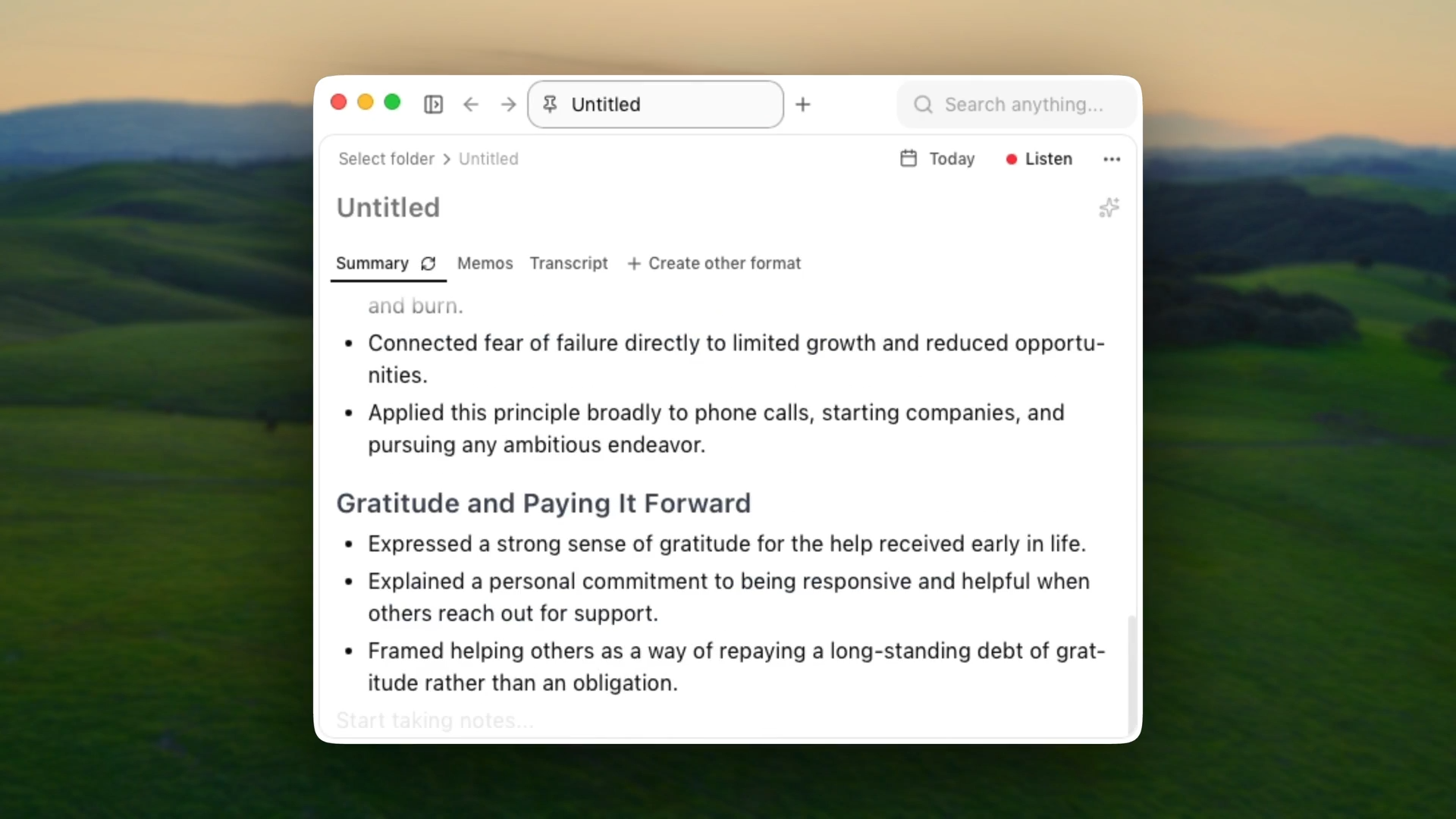
Char is an open-source AI note-taker that stores your data locally and gives you complete control over the AI stack.
You decide if your audio, transcripts, or notes ever leave your device. And, you pick your preferred STT and LLM provider, which means you can go completely local if you want to. No forced stack. No lock-in.
How It Works with Google Meet
Char doesn't join your Google Meet as a bot. Instead, it captures both your microphone input and your system’s audio.
During meetings, Char transcribes your conversations in real-time, and when the meeting ends, it combines any notes you might have taken with your transcripts to create the perfect summary.
Key Features
- Your notes are just files: Every meeting saved as a .md file you can open in Obsidian, Notion, VS Code, whatever you use
- Flexible AI: Use our managed service or bring your own key (cloud or local). Switch anytime.
- No meeting bots: System audio capture works on Zoom, Teams, phone calls, in-person
- Custom templates: Structure recurring meetings automatically with community templates or build your own
- Searchable notes: Find anything from any meeting instantly with semantic search and date filters
- Open source: Code is public. Your IT team can audit it, your security team can verify it
Strengths
- You actually own your data, files stay on your device, not in some remote database
- No internet required for recording or transcription with local models
- No lock-in. export anytime, switch AI providers anytime, or just stop using it
- No bots in your meetings. More discreet than competitors
- Security teams can audit the code before approving it
- Works for any conversation
Considerations
- macOS and Linux only; Windows version coming soon
- No Video recordings
Pricing
An unlimited free plan with local transcription or bring-your-own-key. Pro is $8/month for managed cloud service.
2. Fireflies AI: The Conversation Intelligence Platform
Fireflies positions itself as more than just a transcription tool - it's a full conversation intelligence solution for sales teams and growing businesses.
How It Works with Google Meet
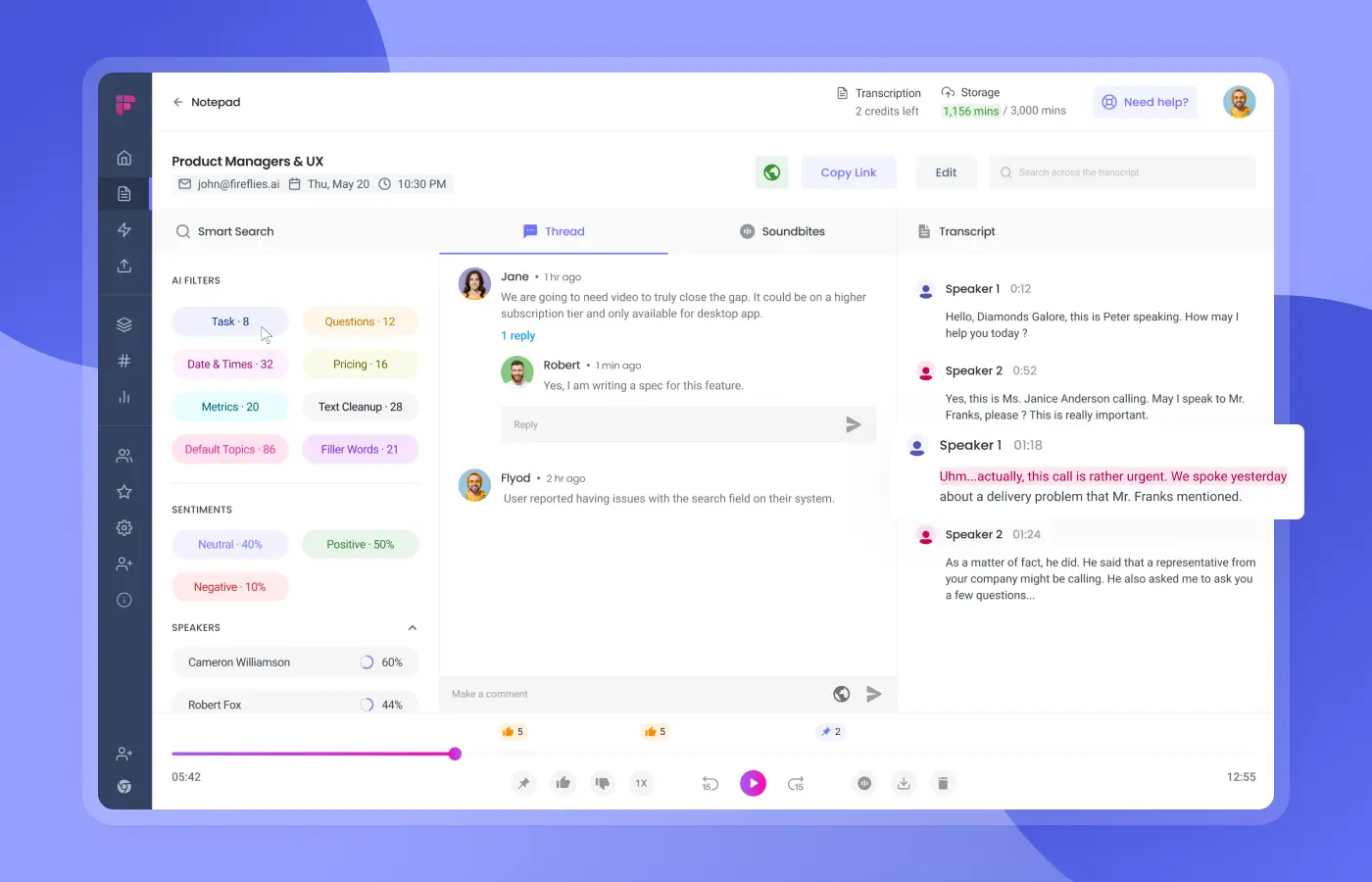
Fireflies joins your Google Meet as a bot participant called "Fred." You can invite it manually to specific meetings or set it to auto-join based on your calendar integration. The bot records, transcribes, and processes the entire conversation, then automatically sends meeting summaries to designated channels.
Key Features
- AskFred AI assistant for chatting with meeting transcripts and querying past conversations
- 69+ language support for global teams and multilingual meetings
- Advanced conversation analytics tracking speaker talk time, sentiment, and key topics
- Extensive integrations with 58+ platforms, including major CRMs and productivity tools
- Video recording capability, capturing screen shares, and visual content alongside audio
Strengths
- Strong multilingual capabilities with automatic language detection
- Comprehensive analytics for understanding meeting patterns and team performance
- Unlimited transcription even on the free plan
- Mobile app support for recording in-person conversations
Considerations
- Bot presence can feel intrusive as Fireflies appears as an additional meeting participant
- Storage limitations on lower-tier plans create pressure to upgrade
- May spam all participants with meeting notes
Pricing
Free forever with unlimited transcription but limited AI features. Paid plans start at $18/user/month.
3. Sembly AI: The Workflow Integration Specialist
Sembly transforms meetings into actionable business deliverables like project plans, requirements documents, and reports.
Beyond basic transcription, it analyzes patterns across multiple meetings, automatically generates artifacts tailored to specific roles, and provides enterprise-grade analytics for team productivity.
How It Works with Google Meet
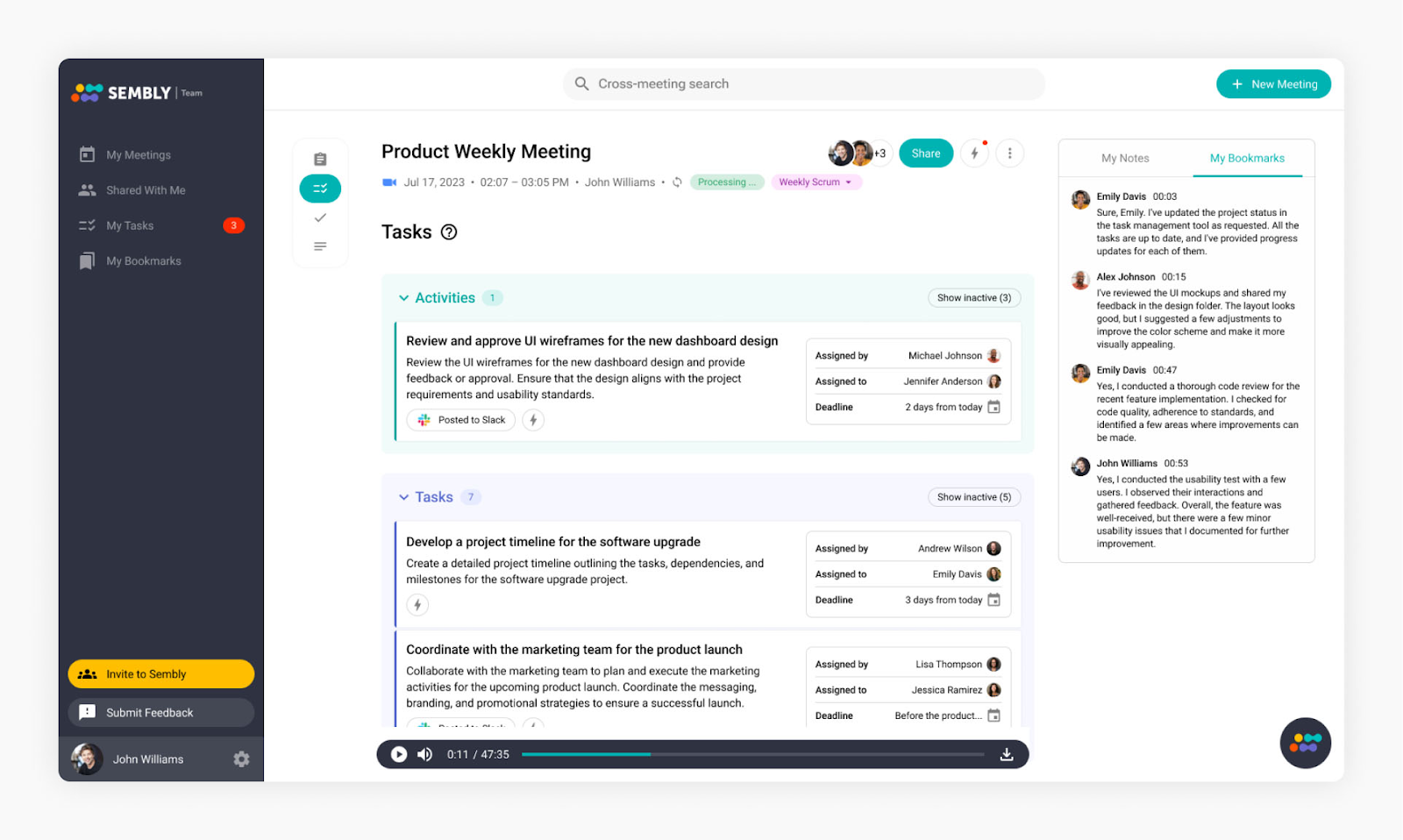
You can invite a Sembly agent to your meeting from the Google Chrome Extension or connect your Google Calendar. It records and transcribes the meeting, then uses AI to identify action items, decisions, and key discussion points.
Key Features
- 48+ language support, including English, French, Spanish, German, Arabic, Japanese, and many others
- AI Artifacts generation (project plans, requirements, reports)
- Multi-meeting trend analysis and insights across conversations
- Advanced action item extraction with assignees and due dates
- Enterprise-grade security (SOC 2 Type II, GDPR compliance)
Strengths
- Flexible attendance model allowing the bot to capture meetings even when you're not present
- Unified meeting intelligence consolidating summaries, transcripts, and analytics in one interface
- Comprehensive integrations with popular CRMs and project management tools like Trello, ClickUp, Asana, etc.
Considerations
- Bot presence required, appearing as an additional participant that introduces itself in meetings
- Steeper learning curve vs more straightforward tools like Char
- Limited export options lacking direct Word document export for summaries and tasks
Pricing
Free trial available, with paid plans starting at $15/user/month.
4. tl;dv: The Video-First Meeting Assistant
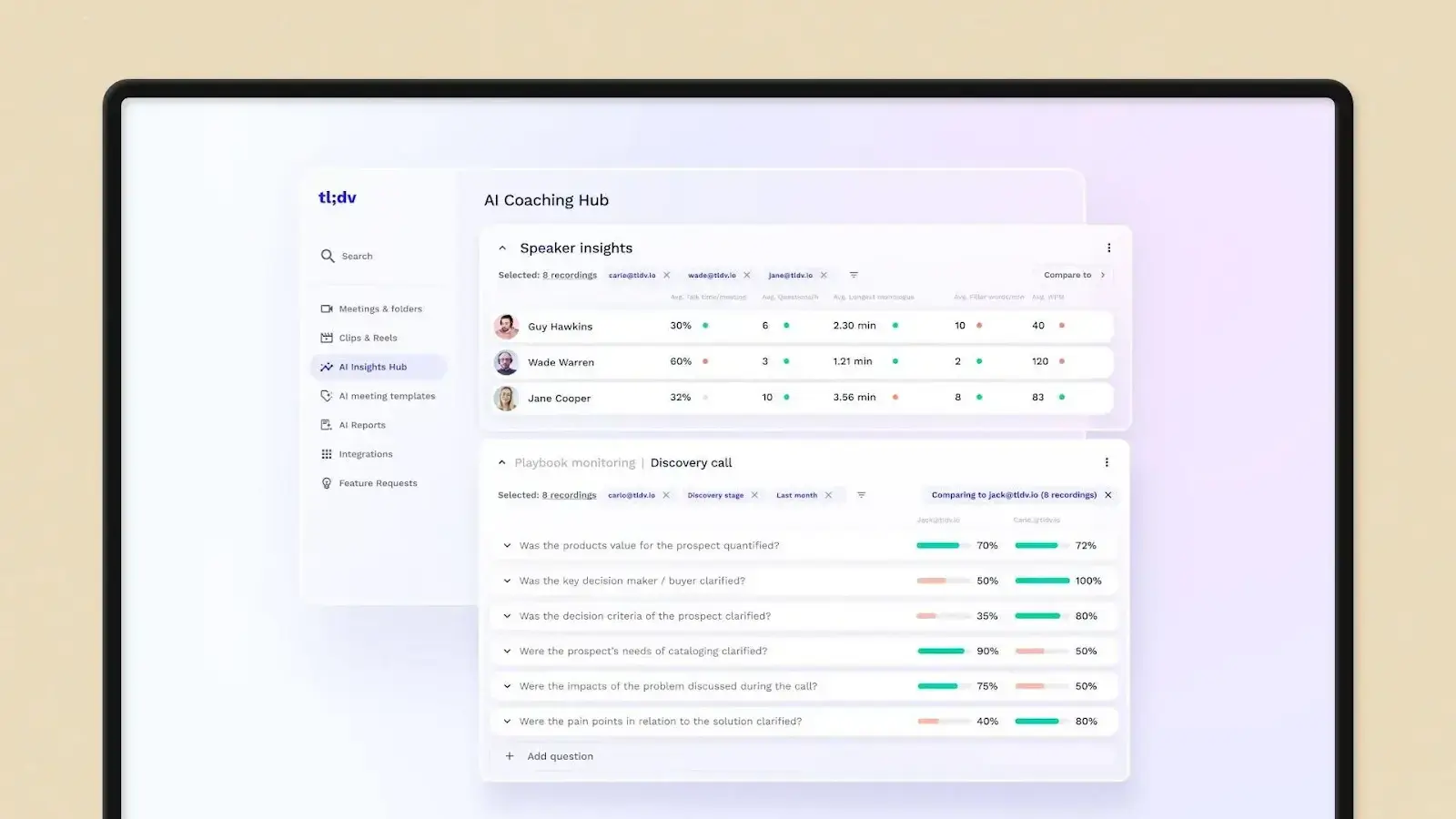
tl;dv is one of the video-focused AI notetakers that turns meeting notes into clickable timestamps, making it easy to navigate directly to specific moments in recordings while providing advanced sales coaching features.
How It Works with Google Meet
The tl;dv bot joins your Google Meet automatically, records both audio and video, then generates AI summaries while allowing you to add manual timestamped notes during the call. You can create clips and share specific moments from longer recordings.
Key Features
- Timestamped video navigation allows you to jump directly to specific moments in recordings
- AI meeting summaries automatically extract key points, decisions, and action items
- Sales coaching, analytics tracking, playbook adherence, and objection handling performance
- Video clip creation for easy sharing of important conversation moments
- 30+ language transcription supporting global teams with multilingual meeting capture
Strengths
- Generous free plan offering unlimited recordings and transcriptions without time limits
- Sales-focused features helping managers analyze rep performance and deal progression
- CRM automation with automatic updates to Salesforce, HubSpot, and other sales tools
Considerations
- Bot presence required means Google Meet shows an additional participant during calls
- Internet dependency for optimal performance
- Video storage demands consume significant space for frequent, long meetings
- No mobile app restricting access to browser and desktop versions only
Pricing
Free forever plan with unlimited recordings. Pro plans start at $29/month for advanced analytics and coaching features.
5. Tactiq: The Chrome Extension Solution
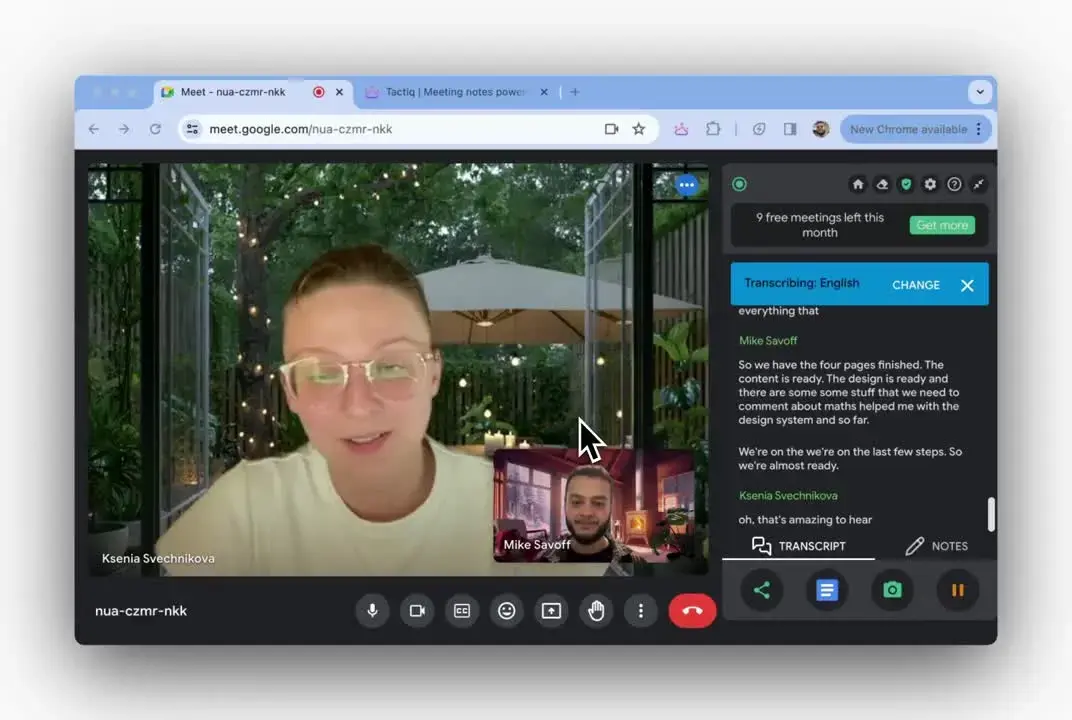
Tactiq takes a completely different approach by working as a Chrome extension rather than a standalone app. It provides live transcription directly in your browser while you're in Google Meet, with powerful workflow automation capabilities.
How It Works with Google Meet
Tactiq works as a Chrome extension that captures audio directly from your Google Meet tab. It shows live transcription as people speak and can push meeting insights to your existing workflow tools without requiring a separate bot to join the meeting.
Key Features
- Live transcription visible during meetings as conversations happen
- 60+ language support with automatic language detection
- Custom AI workflows for repetitive tasks and meeting follow-ups
- Extensive integrations pushing insights to Slack, HubSpot, Jira, and other business tools
- One-click AI actions for generating summaries, action items, and follow-up emails
Strengths
- Real-time visibility allows you to see transcription happening live during meetings
- Workflow automation seamlessly connecting meeting insights to your existing tool stack
- Bot-free operation to capture audio without appearing as an additional meeting participant
- Quick setup that works immediately after installing the Chrome extension
Considerations
- Chrome dependency limiting flexibility compared to platform-agnostic tools
- No audio recording, focusing only on transcription without meeting playback capabilities
- Limited free plan with only 5 AI credits per month, restricting regular use
Pricing
Free plan with 10 meetings/month and 5 AI credits. Paid plans start at $12/user/month.
6. Krisp: The Noise Cancellation + AI Notes Combo
Krisp is the multitasker of AI notetakers - it cancels background noise AND takes meeting notes. The platform removes background noises, voices, and echoes from both sides of calls while transcribing meetings in real-time.
How It Works with Google Meet
Krisp installs as a desktop application that creates virtual microphone and speaker devices on your computer.
You select Krisp as your microphone/speaker in Google Meet settings, and it processes all audio in real-time - removing noise while recording the conversation for transcription.
Key Features
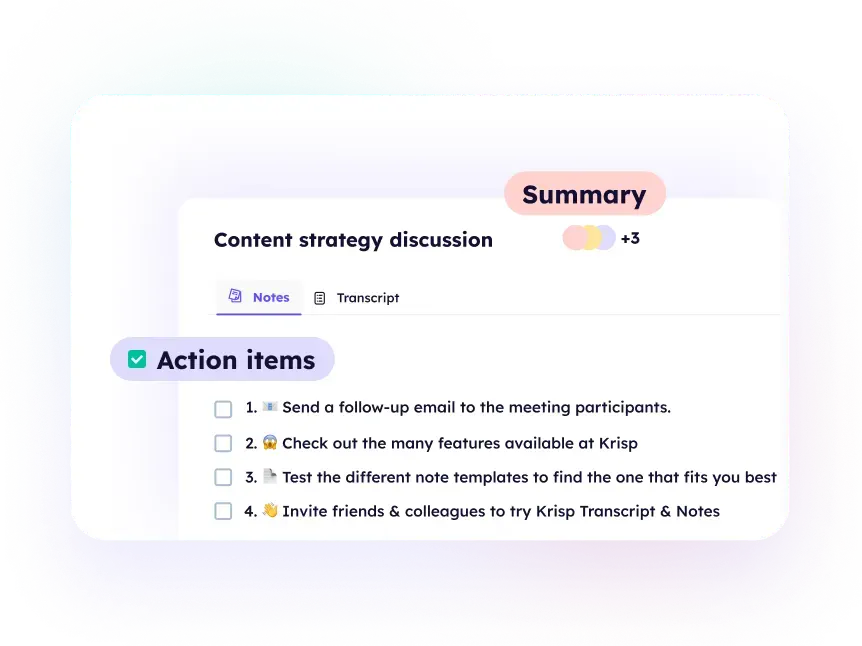
- AI-powered noise cancellation removes background noises, voices, and echoes from both call sides
- Real-time transcription captures conversations across all communication platforms
- Universal app compatibility, working with any communication app as an audio processing layer
- Direct CRM integrations with Salesforce, HubSpot, Slack, and Google Calendar
- Mobile apps for iOS and Android to record in-person meetings
Strengths
- Platform agnostic, working with any video conferencing app
- Free unlimited transcripts make it accessible for regular testing and use
- Strong privacy controls with encrypted data storage and clear security practices
- No meeting disruption, operating invisibly without bots or participant notifications
Considerations
- Basic AI summaries offering disappointingly simple note generation compared to specialized tools
- Limited customization with no ability to modify AI output beyond manual editing
- No AI assistant lacking follow-up question capabilities or deeper meeting insights
- Simple feature set focusing more on audio enhancement than advanced meeting intelligence
Pricing
Free plan with unlimited transcripts and 2 daily meeting notes. Paid plans start at $16/user/month.
7. Otter AI: The Established Cloud Solution
Otter AI is probably the most well-known AI meeting assistant, offering cloud-based meeting intelligence that works across Google Meet, Zoom, and Microsoft Teams with established real-time collaboration features.
How It Works with Google Meet
Otter joins your Google Meet as a visible bot participant called "OtterPilot." It records the audio, generates real-time transcripts with speaker identification, and creates meeting summaries automatically.

Key Features
- OtterPilot AI Chat for asking questions about meeting content during or after calls
- Slide capture automatically screenshots presentations and embeds them in transcripts
- Custom vocabulary for industry terms, names, and company-specific language
- Team workspaces with comment threads and assignable action items
- CRM integrations with Salesforce and HubSpot (Business/Enterprise plans)
- OtterPilot for Sales extracts insights and pushes notes to CRM (Enterprise only)
Strengths
- Established platform with consistent performance and regular feature updates
- Reliable speaker identification that improves with usage and learns voice patterns
- Cross-platform compatibility working reliably across Google Meet, Zoom, and Teams
- Mobile app functionality handling both virtual meetings and in-person conversation capture
Considerations
- Limited language support, restricted to English, Spanish, and French only
- Privacy concerns with an ongoing class-action lawsuit regarding data handling practices
- Free plan restrictions are limited to 300 monthly minutes, which gets consumed quickly
- Bot presence in meetings can feel intrusive for sensitive client conversations
Pricing
Free plan with 300 monthly minutes. Paid plans start at $16.99/user/month.
Our Top Recommendation
If you value both functionality and control, Char is the only tool on this list built for you.
You get AI-powered features without giving up ownership of your data. You get enterprise-grade functionality without vendor lock-in. You get ease of use without sacrificing flexibility.
This isn’t a bait and switch. You can try the tool out for free, and if you decide it's not for you, just export everything and walk away. That’s the deal!
Frequently Asked Questions
1. Can Google Meet do AI notes?
Yes, but with significant limitations. Google's "Take notes for me" feature uses Gemini AI to generate meeting summaries in Google Docs. However, it's only available to a small group of users on expensive Workspace plans (Google One AI Premium or specific Business/Enterprise tiers), works in just 8 languages, and often produces incomplete summaries.
The bigger issue: you have no control over the AI processing. It runs in Google's cloud, uses their models, and follows their data handling practices. For organizations with compliance requirements or privacy concerns, that's a non-starter.
2. Does Google have a note-taking tool?
Google Docs serves as Google's general note-taking solution, and Google Keep handles quick notes and lists. For meetings specifically, Google offers "Take notes for me" powered by Gemini AI, but it's restricted to select Workspace plans and lacks features teams actually need.
3. How do I turn on AI transcription in Google Meet?
If you have access:
- Join a Google Meet
- Click the three dots menu (bottom right)
- Select "Take notes for me"
- Google's AI generates notes in a linked Google Doc during the meeting
4. Is there a botless AI notetaker?
Yes. Char and Tactiq both work without sending a bot into your meetings.
5. What is the most secure AI note taker for Google Meet?
For maximum security, run Char with fully local AI models (Ollama/LM Studio)—zero data leaves your device. For organizations that need cloud AI, bring your own approved API keys from providers your security team has already vetted.
